Orders
Introduction
Overview of how the MedikaBee ordering system works.
Orders Overview
MedikaBee provides a simple ordering system for beekeepers to request medication through their trustees. This section explains how orders flow through the system — from creation to fulfillment.
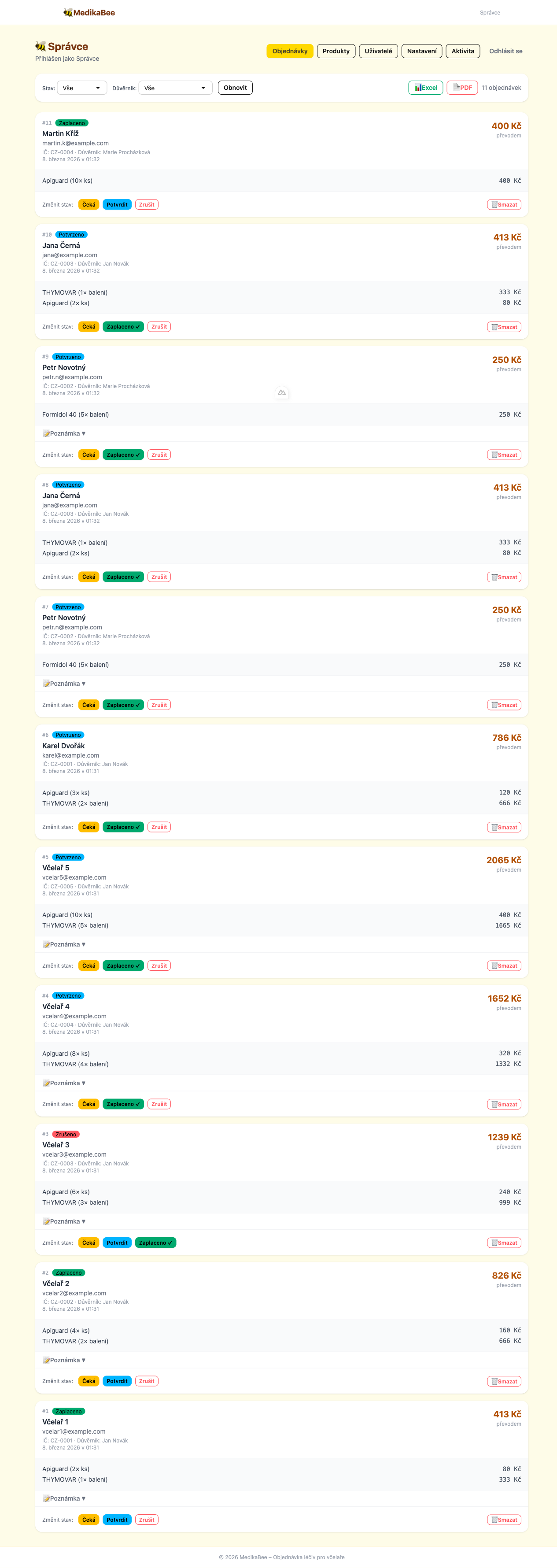
Order Lifecycle
Customer places order → Admin reviews → Payment received → Fulfilled
     (pending)           (confirmed)       (paid)         (cancelled if needed)
Orders move through four statuses:
| Status | Description |
|---|---|
pending | Order just submitted, waiting for admin review |
confirmed | Admin has reviewed and confirmed the order |
paid | Payment has been received |
cancelled | Order was cancelled |
pending and start as confirmed automatically.Who Can Place Orders?
The order form is public — no login is required. Any beekeeper can submit an order by visiting the main page of the application.
What Is in an Order?
Each order contains:
- Customer details — name, email, breeder registration number (ČMSCH)
- Trustee — the beekeeper association trustee the customer belongs to
- Products — one or more products with quantities
- Shipping — automatically calculated as a percentage of the total
- Optional note — any special instructions from the customer
Email Notifications
Automated emails are sent at key points:
| Event | Recipient |
|---|---|
| Order placed | Customer (confirmation with order details) |
| Status changed | Customer (notification of status update) |