Orders
Placing an Order
Step-by-step guide on how beekeepers place orders in MedikaBee.
Placing an Order
The order form is accessible on the main page of the MedikaBee application. No account or login is required.
Step-by-Step
1. Open the Order Form
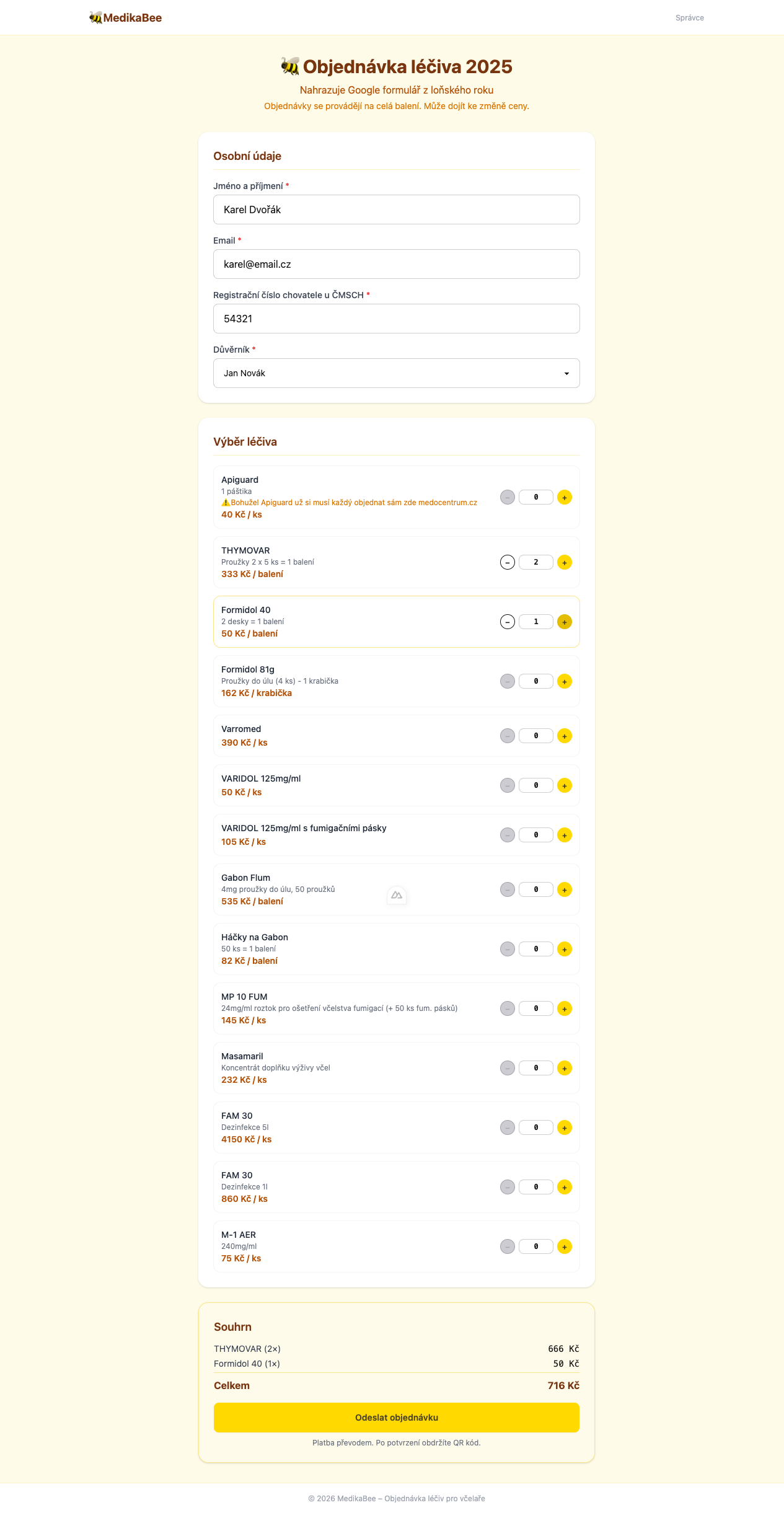
Navigate to the main page of the application. You will see the order form below the hero banner.
2. Fill In Your Details
| Field | Description |
|---|---|
| Name | Your full name |
| Your email address — order confirmation will be sent here | |
| Breeder Number | Your ČMSCH breeder registration number |
| Trustee | Select your trustee from the dropdown list |
3. Select Products
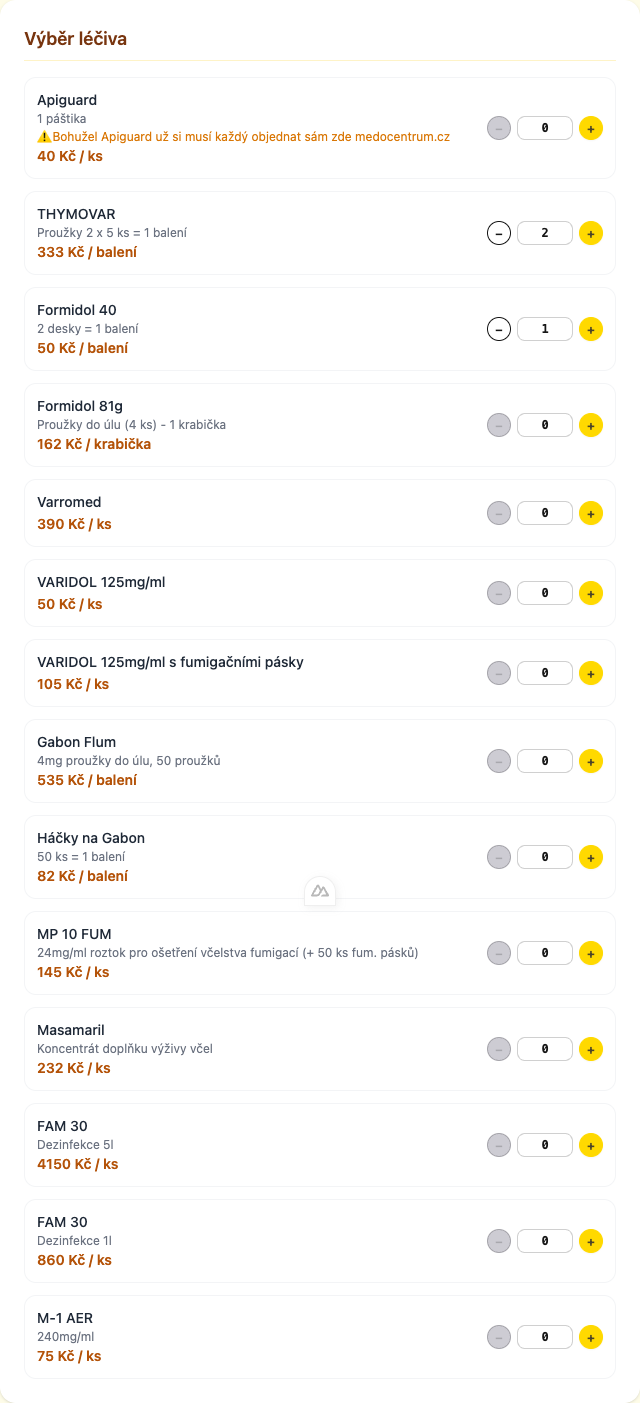
For each available product, enter the quantity you want to order. Products with a quantity of 0 are not included in the order.
- Use the
+and−buttons or type a number directly - The running total updates automatically as you change quantities
4. Review and Submit
Before submitting, review your order summary:
- Product list with quantities and prices
- Subtotal (sum of all product prices)
- Shipping amount (calculated automatically based on the subtotal)
- Total (subtotal + shipping)
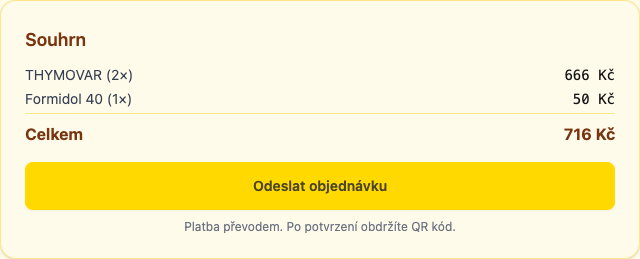
Click Place Order to submit.
After Submission
Once the order is submitted:
- You receive a confirmation email with your order number and details
- The order appears in the admin panel for review
- When an admin updates the status, you receive another email notification
Order Number
Each order gets a unique order number generated sequentially. Use this number when contacting support or an administrator about your order.