Users
Delete a user
Remove users from MedikaBee while preserving order history
Administrators can remove users from the system. Deleting a user is permanent, but their associated order data is preserved.
Delete a user
- Navigate to Správce → Uživatelé tab
- Find the user in the list
- Click Smazat (Delete) on their row
A confirmation dialog appears:
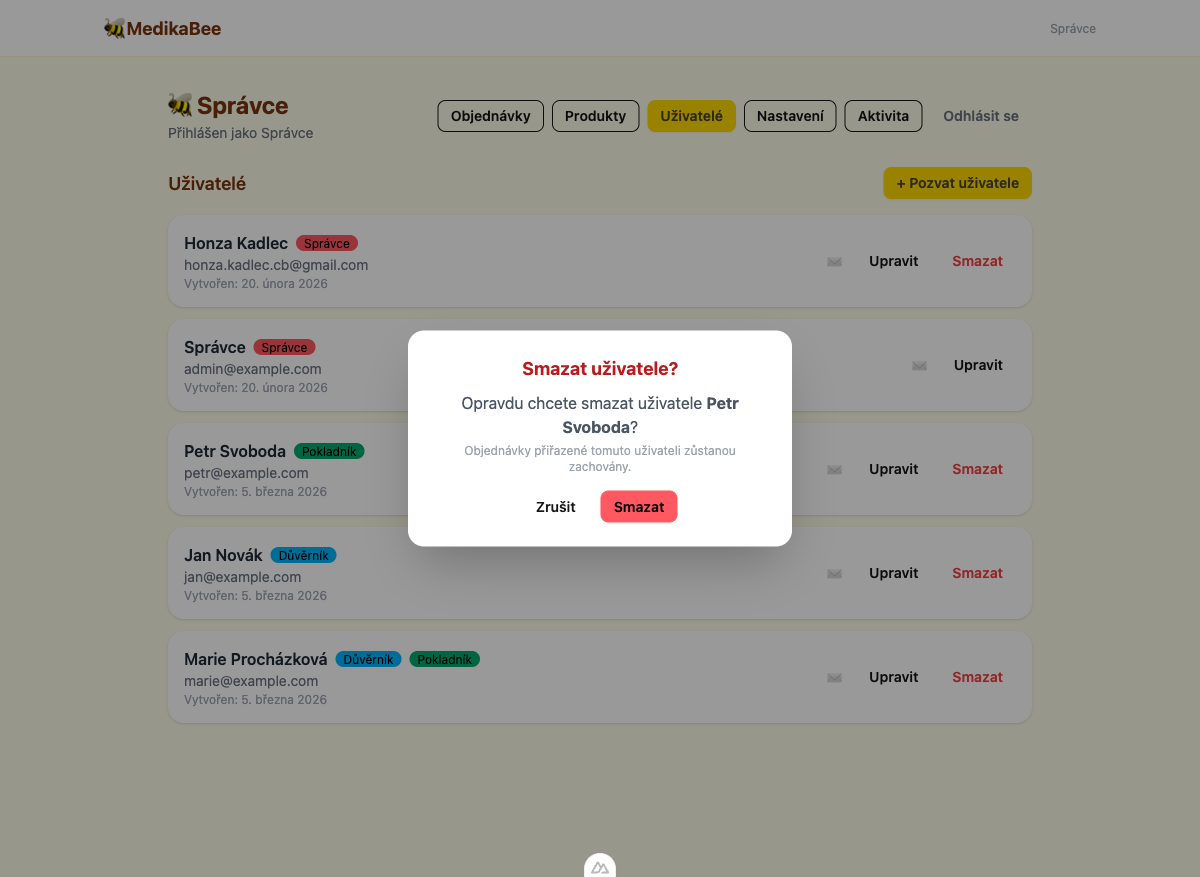
- Click Smazat to confirm, or Zrušit (Cancel) to abort
You cannot delete your own account. The delete button is hidden for the currently logged-in user.
What happens after deletion
- The user can no longer log in
- Orders submitted by or assigned to this user remain in the system
- The deletion is logged in the activity log
- If the same email is used to create a new user later, the previous account is restored with the new settings
The system uses soft-delete under the hood. If you invite a user with the same email as a previously deleted user, the original account is restored and updated with the new details.